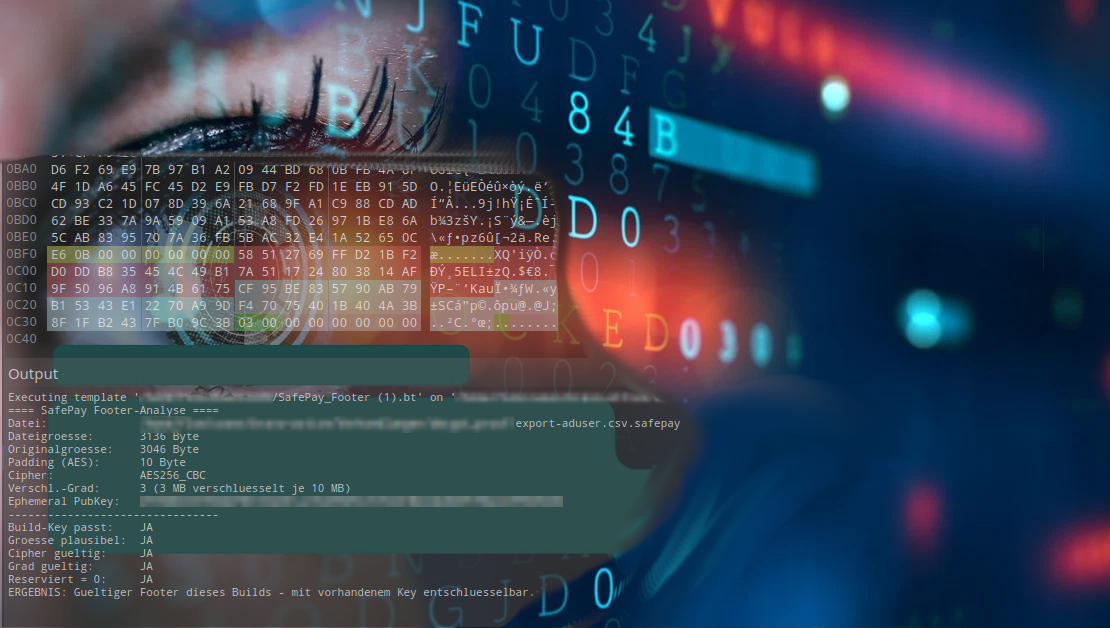
SafePay is one of the ransomware groups that has become increasingly active since late 2024, including in the DACH region. During a recent incident response engagement, we had the opportunity to statically analyze both the encryptor and its matching decryptor. In this post, we show how SafePay encrypts files, how its file format is structured, and which implementation mistakes we found in the code. Some of those mistakes can genuinely help victims in an emergency.
The Sample at a Glance
The encryptor is a 32-bit DLL launched via regsvr32. Its parameters are passed to the DllInstall export through the /i: switch. Even at first glance, the sample is carefully obfuscated:
- No real import table. The DLL imports a handful of harmless functions but never calls them. The corresponding code path in
DllMainis tied to a condition that never occurs (hinstDLL == 0). The imports exist only to make the DLL look less suspicious. - API resolution by hash. Around 110 Windows functions from eight DLLs are located at runtime by walking the PEB and comparing CRC32 hashes of function names.
- XOR-encrypted stack strings. Every string, from DLL names and command lines to log messages, is written byte by byte onto the stack and decrypted at runtime. The key byte is taken from the
MZheader ofkernel32.dll, so the key itself never appears in the binary. - Encrypted configuration. The public key, exclusion lists, kill lists, and ransom note are stored in a section disguised as
.debug. They are decrypted using the-pass=command-line parameter. Without the correct password, the ransomware exits immediately, and a checksum verifies the result.
The last point deserves attention: a sample that refuses to start without a password evades many automated sandboxes. For forensics, the flip side is this: if you can reconstruct the command line from EDR, Sysmon, or process creation logs, you can also read the configuration.
The Crypto Scheme: Hybrid, Per File, No Stored Keys
SafePay uses a modern hybrid scheme that, in broad strokes, follows the pattern of many current ransomware families. At its core is an elliptic-curve key exchange using Curve25519 (X25519).
Step 1: One Key Pair per File
For every single file, the encryptor generates 32 random bytes with RtlGenRandom and turns them into an X25519 private key according to RFC 7748 (“clamping”). From this it derives the matching public key. This key pair exists for that one file only; it is an ephemeral key.
Step 2: Key Exchange with the Attacker’s Key
The configuration contains the attackers’ public key. Using that key and the ephemeral private key, the encryptor computes a shared secret:
S = X25519(ephemeral private key, attackers' public key)
The property ransomware exploits here is that the same secret can also be computed from the other direction: from the attackers’ private key and the ephemeral public key. Only the group holds the former, and the encryptor stores the latter in every file.
Step 3: Key Derivation
A 64-byte value is derived from the shared secret using SHA-512. The first 32 bytes form the actual file key, and the following 16 or 24 bytes serve as the IV or nonce. Afterwards, the ephemeral private key, the shared secret, and the hash are wiped from memory.
The result: the file key is never stored anywhere, not in the file, not in memory, nowhere. It can only be reconstructed with the attackers’ private key. We found no shortcut in this sample, such as weak randomness or leftover keys.
Step 4: Two Ciphers, Depending on Hardware
Notably, SafePay chooses its cipher based on the CPU:
| Victim system CPU | Cipher | Key material from SHA-512 |
|---|---|---|
| with AES-NI | AES-256-CBC | key = bytes 0–31, IV = bytes 32–47 |
| without AES-NI | XChaCha20 | key = bytes 0–31, nonce = bytes 32–55 |
The reason is simply speed. With hardware acceleration, AES is extremely fast; without it, ChaCha20 performs considerably better in software. For ransomware, every minute counts before someone pulls the plug.
Both variants have a peculiarity that matters for anyone rebuilding a decryptor. Files are processed in 1 MB chunks.
- AES-CBC chains across all encrypted chunks of a file. The IV of each chunk is the last ciphertext block of the previous encrypted chunk, even if unencrypted regions lie in between. There is no standard PKCS#7 padding. The last block is simply filled up to 16 bytes, and the original size is stored in the footer.
- XChaCha20 resets the block counter for every 1 MB chunk and instead increments the 192-bit nonce by one. Chunk n therefore uses nonce N + n.
Partial Encryption: Speed over Thoroughness
The -enc=N parameter (N = 1 to 9) throttles encryption. In every 10 MB section of a file, only the first N megabytes are encrypted, and the rest is left untouched. Without the parameter, the default is N = 10, meaning full encryption.
Partial encryption has become standard for professional ransomware. For large files such as virtual disks, databases, or backups, destroying parts of them is enough to render them unusable. For victims, this cuts both ways: partially encrypted files can sometimes be partly recovered, for example individual files from a VM image, but the effort is considerable.
The Footer: 80 Bytes at the End of the File
Everything needed for decryption is appended to each file as an 80-byte footer. The file is then renamed with the .safepay extension.
| Offset | Length | Content |
|---|---|---|
0x00 | 8 | Original file size (uint64, little endian) |
0x08 | 32 | Attackers’ X25519 public key |
0x28 | 32 | Ephemeral X25519 public key for this file |
0x48 | 1 | Encryption level N (10 = full) |
0x49 | 1 | Cipher: 0x00 = AES-256-CBC, 0x01 = XChaCha20 |
0x4A | 6 | Zero bytes |
The field at offset 0x08 is particularly useful in practice. Because the attackers’ public key is stored in every footer, you can check which build each individual file belongs to. That helps with triage when several encryptor instances were deployed. If a negotiated decryptor is received, it also lets you verify that it really matches your own files. In the case we analyzed, we were able to prove mathematically that the private key embedded in the decryptor belongs exactly to the public key in the encryptor configuration.
The Rest of the Toolkit
Encryption is only part of what the encryptor brings along. For completeness, here is an overview:
- UAC bypass via the COM elevation moniker of the CMSTPLUA class, a long-known trick used by many families.
- Persistence via a
Runkey in HKCU that launchesregsvr32with the DLL and the original parameters. The entry is deleted again once encryption is complete. - Recovery sabotage: deleting shadow copies (
vssadmin,wmic), disabling Windows recovery viabcdedit, and emptying the recycle bin. - Network: shares and network drives are accessed via WNet functions and a duplicated token. The encryptor also mounts volumes that have no drive letter so it can encrypt them too.
- Self-protection: anti-debugging via the debug port, a deny ACE on its own process, and finally self-deletion, during which the DLL is first overwritten with zeros using
fsutil.
What is missing is just as notable: the encryptor contains no internet communication at all. If data was exfiltrated, and SafePay explicitly threatens publication in its ransom notes, that happened beforehand using separate tools.
Where SafePay Slips Up
As solid as the cryptography is, other parts of the code look careless.
Kill Lists That Miss
Like almost every ransomware, SafePay terminates processes and services before encrypting so that databases and Office documents are no longer locked. The lists contain entries such as sql, oracle, veeam, backup, sophos, and msexchange.
The catch: SafePay compares exactly. Process names are compared to the list entry without .exe, and services are opened by their exact service name. But there is no process called sql.exe and no service called veeam. SQL Server runs as sqlservr.exe or MSSQLSERVER. The lists were evidently copied from older families that matched on substrings and were never adapted. In practice, only entries with exact names take effect, such as the Office applications, vss, and some backup services.
A Restart Manager That Restarts Nothing
For locked files, SafePay additionally uses the Windows Restart Manager. It determines which process is blocking a file and is then supposed to terminate it via RmShutdown. Due to an error in the function table, however, the code calls the wrong function at this point. RmShutdown is never executed.
Remarkably, the same bug is present in the decryptor. That is a strong indication that both come from the same builder or code base.
What This Means for Victims
Taken together, this means: files that were locked by running services at the time of the attack may not have been encrypted at all. These include active SQL Server databases, Exchange databases, or open backup repositories. Before writing off such data, it is worth checking closely whether they carry the .safepay extension and have a valid footer.
Recommendations for Defenders
Prevention and detection
regsvr32with/i:parameters that do not belong to legitimate software is a strong signal. The same applies to newRunentries that invokeregsvr32.vssadmin delete shadows,wmic shadowcopy delete, andbcdedit … recoveryenabled Noshould trigger an alert in every EDR environment.- COM elevation via CMSTPLUA from unusual parent processes can be detected with common detection rules.
- Offline or immutable backups remain the most effective countermeasure. SafePay’s cryptography offers no shortcut.
In an incident
- Preserve command lines. The
-pass=password appears in theregsvr32command line and enables analysis of the configuration. - Back up encrypted files before any decryption attempt. Decryptors typically operate directly on the original file.
- Inspect footers to determine build membership, cipher, and encryption level for each file.
- Check locked databases specifically, as they may have remained unencrypted.
- Analyze the decryptor itself before running it on the network. In the case examined here, it was clean. You should never rely on that.
Conclusion
SafePay is a textbook example of the state of professional ransomware. Its cryptography is modern and correctly implemented, with X25519, SHA-512, AES-256, and XChaCha20 plus per-file keys. Without the attackers’ private key, there is no way back. At the same time, copied kill lists and a function table bug reveal that copy-and-paste is at work here too. For victims, exactly these oversights can make the difference.
If you have been affected by a ransomware attack or want to assess your detection and recovery capabilities, get in touch with us.
CERTAINITY Incident Response Team